Speed defaults
Set the page cache space per account, how long browsers keep files, whether pages with a query string are cached and the page cache of new WordPress websites.
The server's defaults for the websites' speed tools. Every website uses them unless its owner chooses otherwise under Speed test › Speed settings.
Where: Server Admin › System › Speed defaults
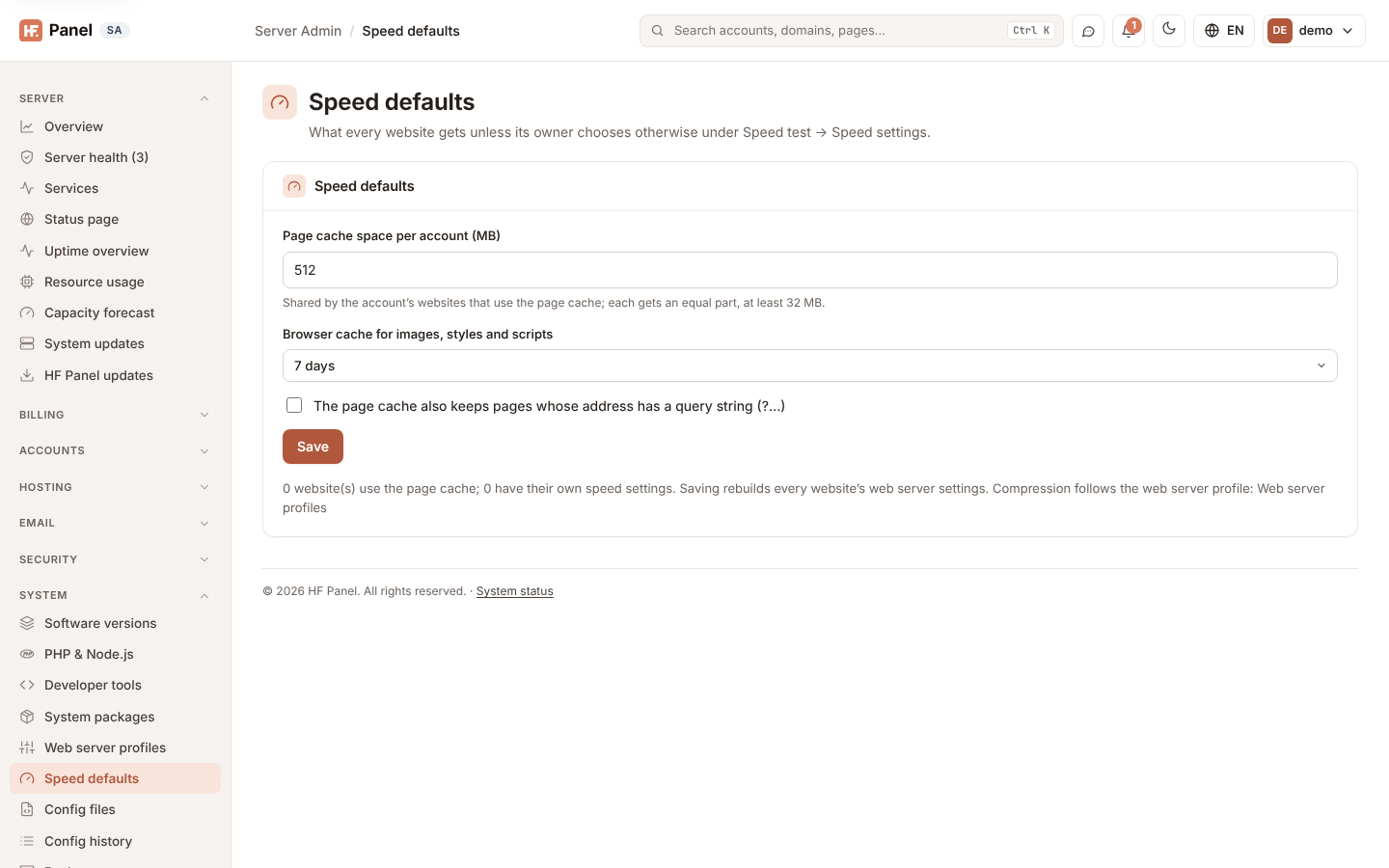
| Field | What it does |
|---|---|
| Page cache space per account (MB) | disk space for the page cache of one account, 64 MB to 16 GB (default 512 MB). It is shared by the account's websites that use the page cache: each gets an equal part, at least 32 MB. Pages not used for 2 hours are dropped. |
| Browser cache for images, styles and scripts | how long visitors' browsers keep these files: No expiry, 1 day, 7 days (default), 30 days or 1 year |
| The page cache also keeps pages whose address has a query string (?…) | off by default, so /shop/?colour=red is always made fresh (campaign tags alone, ?utm_…, never count as a query string) |
| Page cache of new WordPress websites | Off (default), or how long pages are kept for a website on which WordPress is then installed from Apps (at the top of the website). Existing websites never change; customers can change it under Speed settings. |
Click Save. The panel rebuilds every website's web server settings; the message says how many websites were updated.
Note: compression follows the Web server profiles (gzip level, Brotli) unless a website switches it on or off itself.
How the page cache works
- The page cache is off for every website until its owner (or Fix it on the speed test, or the default above for a new WordPress) switches it on.
- Websites on Nginx only cache what PHP-FPM returns; websites on Nginx + Apache cache what Apache returns. The cache
key is the scheme, method, host and address, with its query string unless it holds only
utm_…tags. - Never cached: logged-in WordPress and shop visitors, carts, checkouts and my-account pages, admin pages, searches,
feeds, form posts (POST), previews, and pages that set a cookie or say
no-cache. - Each website's pages are kept in
/var/cache/nginx/hostfog/<account>/<domain>; the folder counts in the account's disk usage. - WordPress websites get a small must-use plugin that writes the addresses of changed pages to a file in the account's
tmpfolder; every minute the server reads that file (as the account) and removes those pages, or the whole cache after a theme, menu or plugin change. PHP never gets more rights for this. Customers can also click Empty page cache or empty one page (Speed test), and programs can call the API.
Related
- Speed test
- Packages — Redis memory (MB, 0 = off)
- Web server profiles