Redirects
Send old pages to new addresses or redirect a whole site to another domain.
Redirects lets you send old pages to new addresses or move a whole site to another domain. Every change is published to the web server at once — it works straight away.
Where: Control Panel › Websites › Redirects
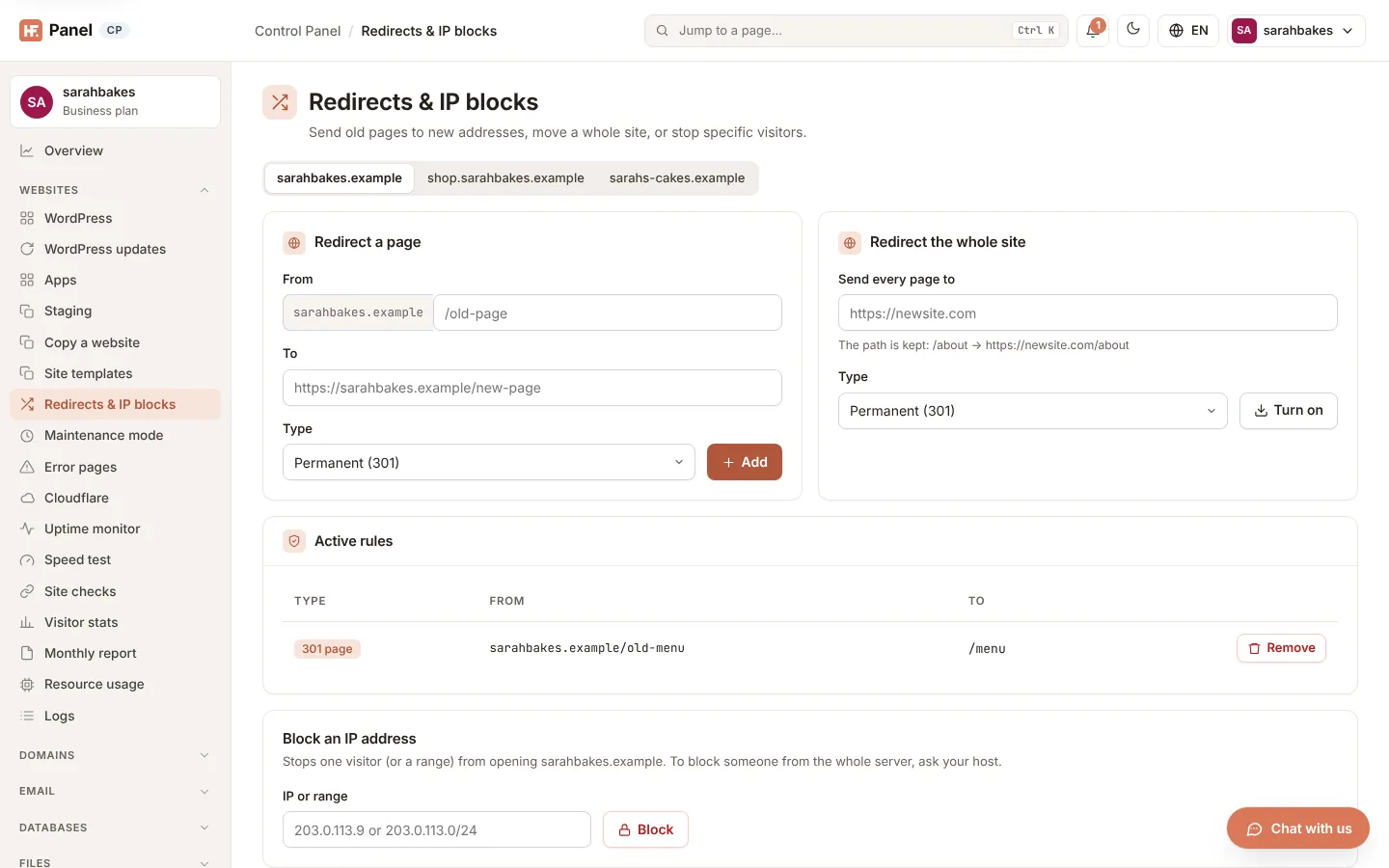
Choose a domain
The rules belong to one domain at a time. Click a domain in the picker at the top to show and change its rules. If you have no domains yet, click Add domain.
Redirect a page
- In Redirect a page, enter the From path after the domain, for example
/old-page. - Enter the To address — a full address, for example
https://yourdomain.com/new-page. - Choose the Type.
- Click Add.
| Field | What it does |
|---|---|
| From | the path on this domain. Letters, numbers and . _ ~ / - only, up to 200 characters. Each path can have one redirect. |
| To | the full address to send visitors to, starting with http:// or https:// |
| Type | Permanent (301) for a page that has moved for good (search engines update their links), or Temporary (302) |
Redirect the whole site
- In Redirect the whole site, enter the new site in Send every page to, for example
https://example.com. - Choose the Type.
- Click Turn on (or Update to change an existing one).
Enter the site's address only, without a path. The path is kept: /about goes to https://example.com/about. A domain
can have one whole-site redirect; saving a new one replaces the old one.
Note: while the whole site redirects, a notice at the top says so. Page redirects don't apply while it is on. To stop it, remove its rule under Active rules.
Block an IP address
Blocking visitors by address is done in the IP blocker of Firewall rules (the link under the rules). Addresses blocked here before were moved there when the panel was updated; their note names the website.
Active rules
Active rules lists the domain's rules:
| Type | From | To |
|---|---|---|
| 301 page / 302 page | yourdomain.com/old-page |
the target address |
| 301 whole site / 302 whole site | yourdomain.com/* |
the new site, /* |
To delete a rule, click Remove on its row.